
User Experience Design for DUMBO
Created a live map and AI assistant designed to be integrated in the DUMBO Improvement District's existing website, aimed to alleviate overcrowding and improve experiences for residents, local busineses, and tourists alike.
Team
3 designers
My Role
UI/UX Design
User flows
Wireframes
Stakeholder interviews
Research
Industry
Public Sector / Visitor Experience
Project Context
15-week UX design project at Parsons School of Design
Year
2025
Tools
Figma
Miro
Project Brief
How can we reimagine an idea or model that moves from a traditional to an alternative tourism model that is inclusive, self-aware and can be remade into an ethical or immersive travel experience?
Challenge
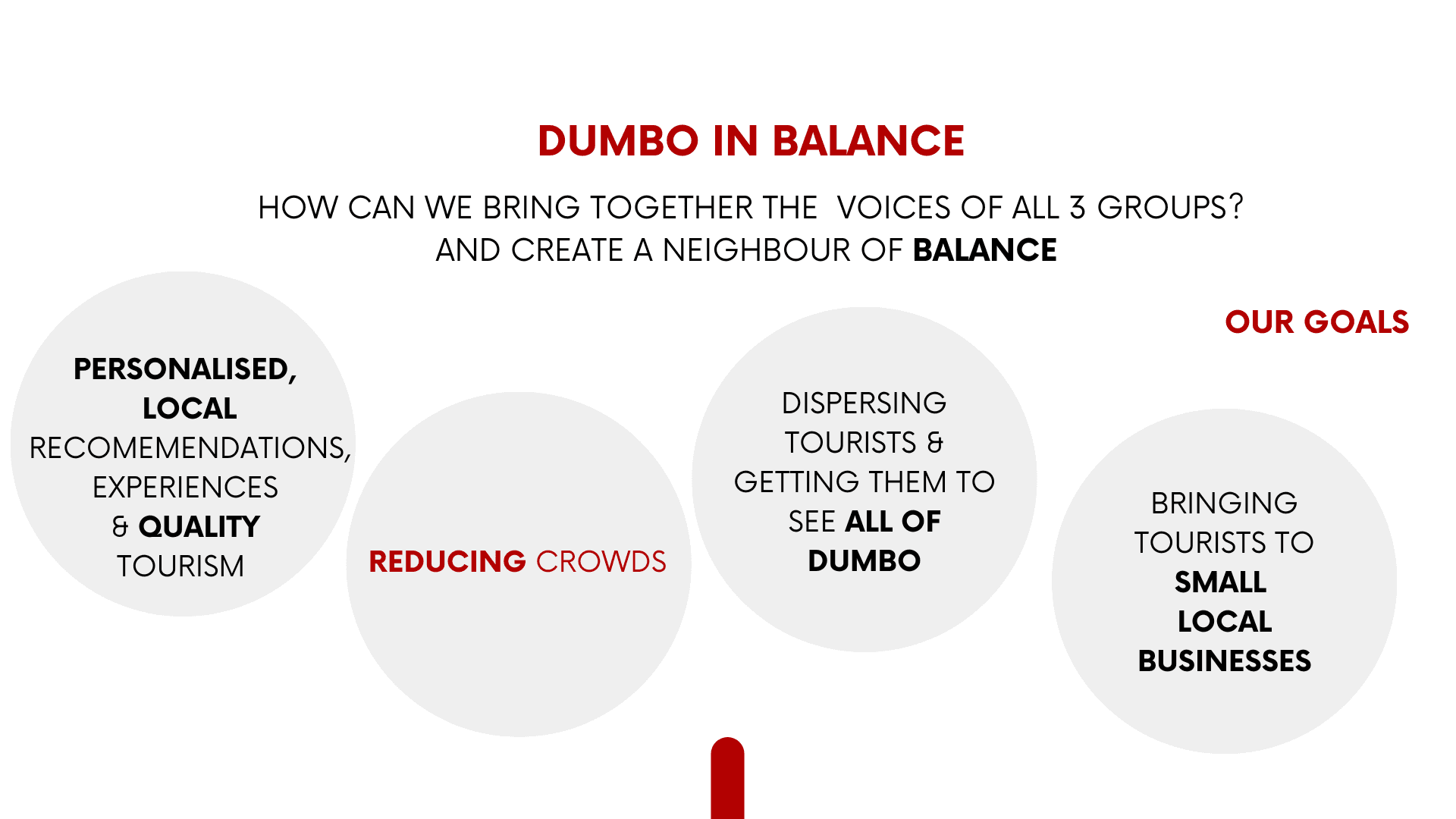
DUMBO faces significant tourism-related challenges, including overcrowding, rising living costs, and increased commercialization. Visitor activity is concentrated on a few streets offering popular photo spots and access to Brooklyn Bridge Park, creating congestion and noise in a small area while diverting foot traffic away from others. For residents and local businesses, this concentration reduces the affordability and quality of life while ultimately diminishing the overall visitor experience.
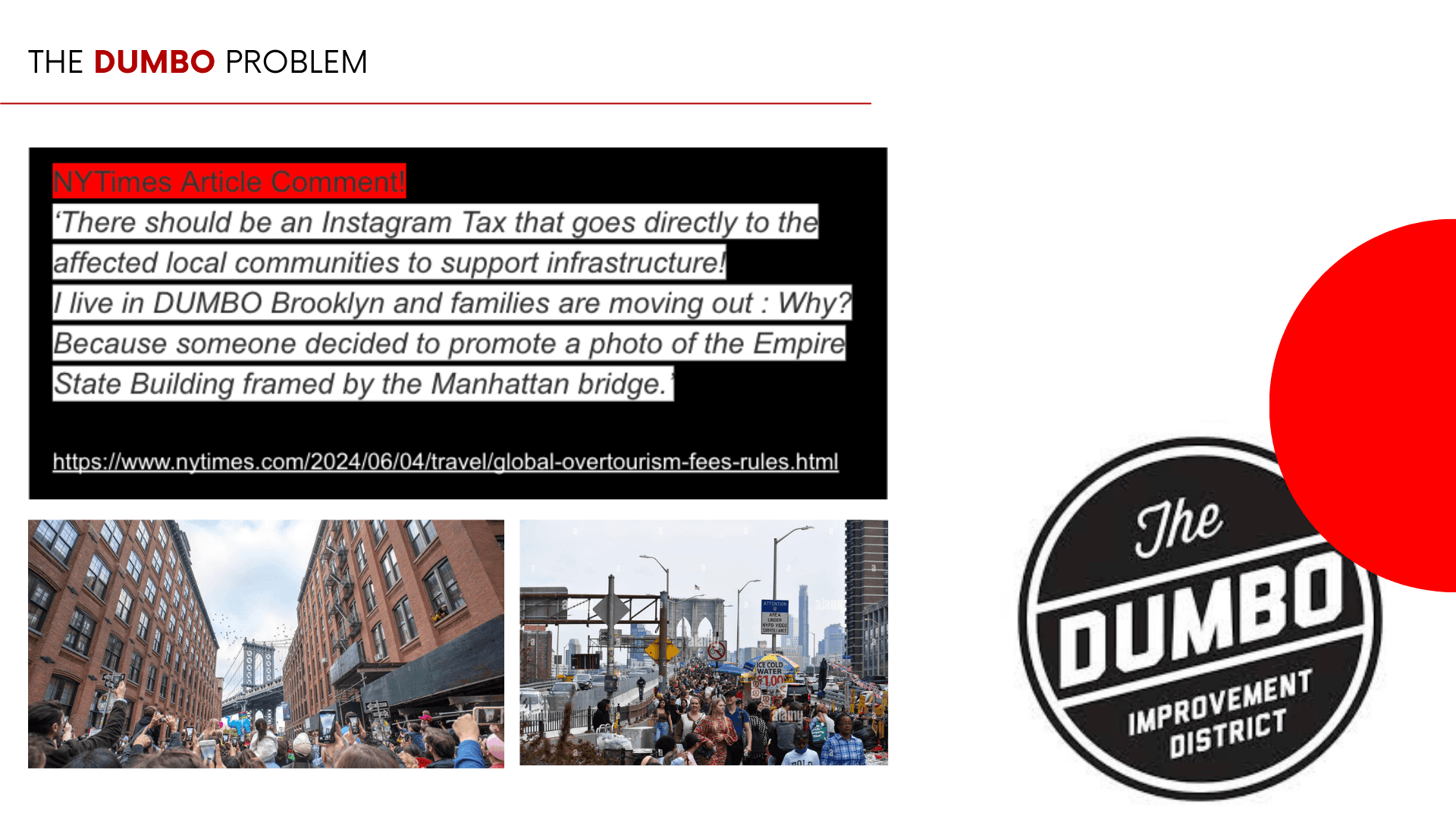
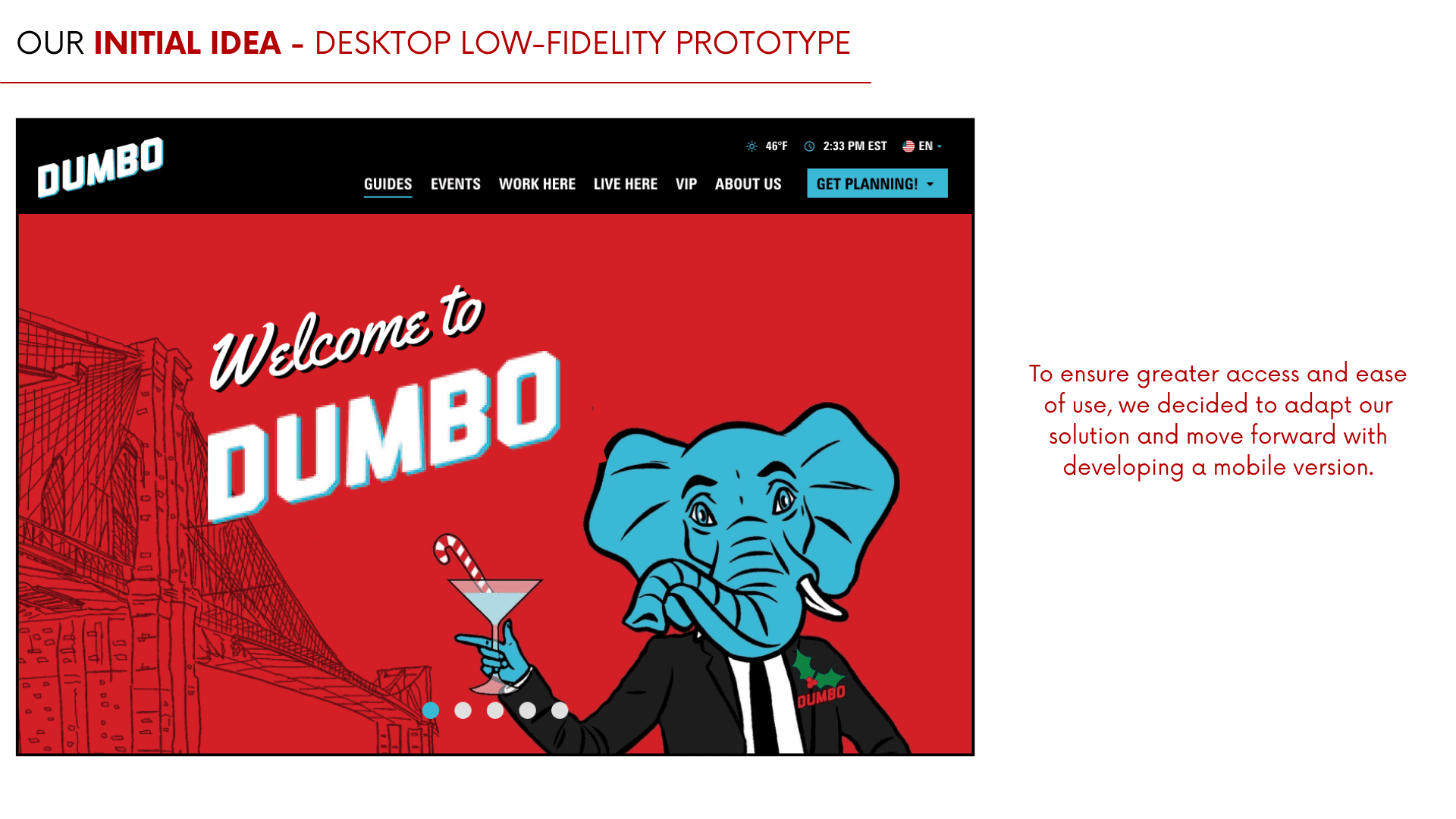
Week 3-4 Initial Concept and Desktop Design
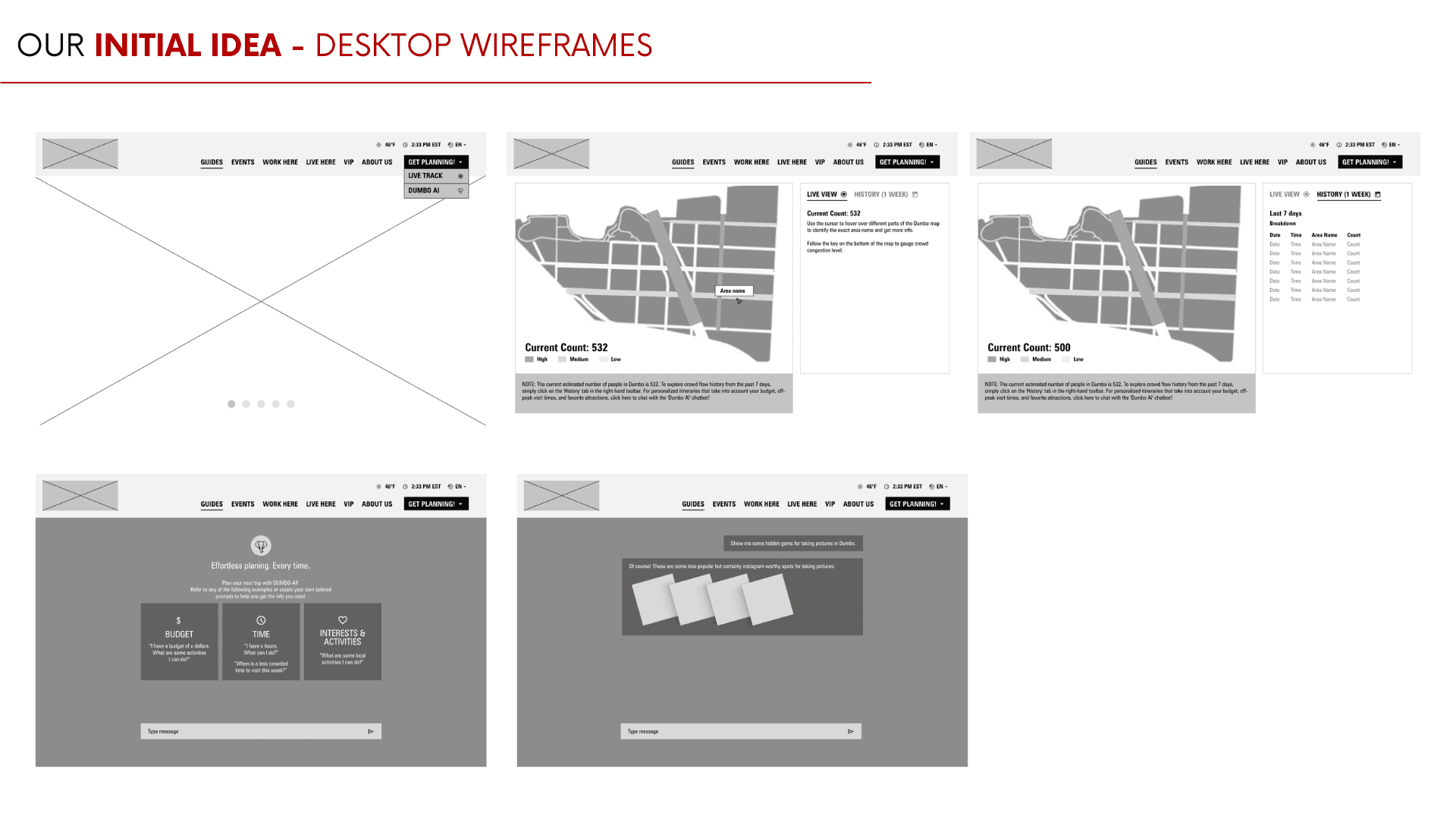
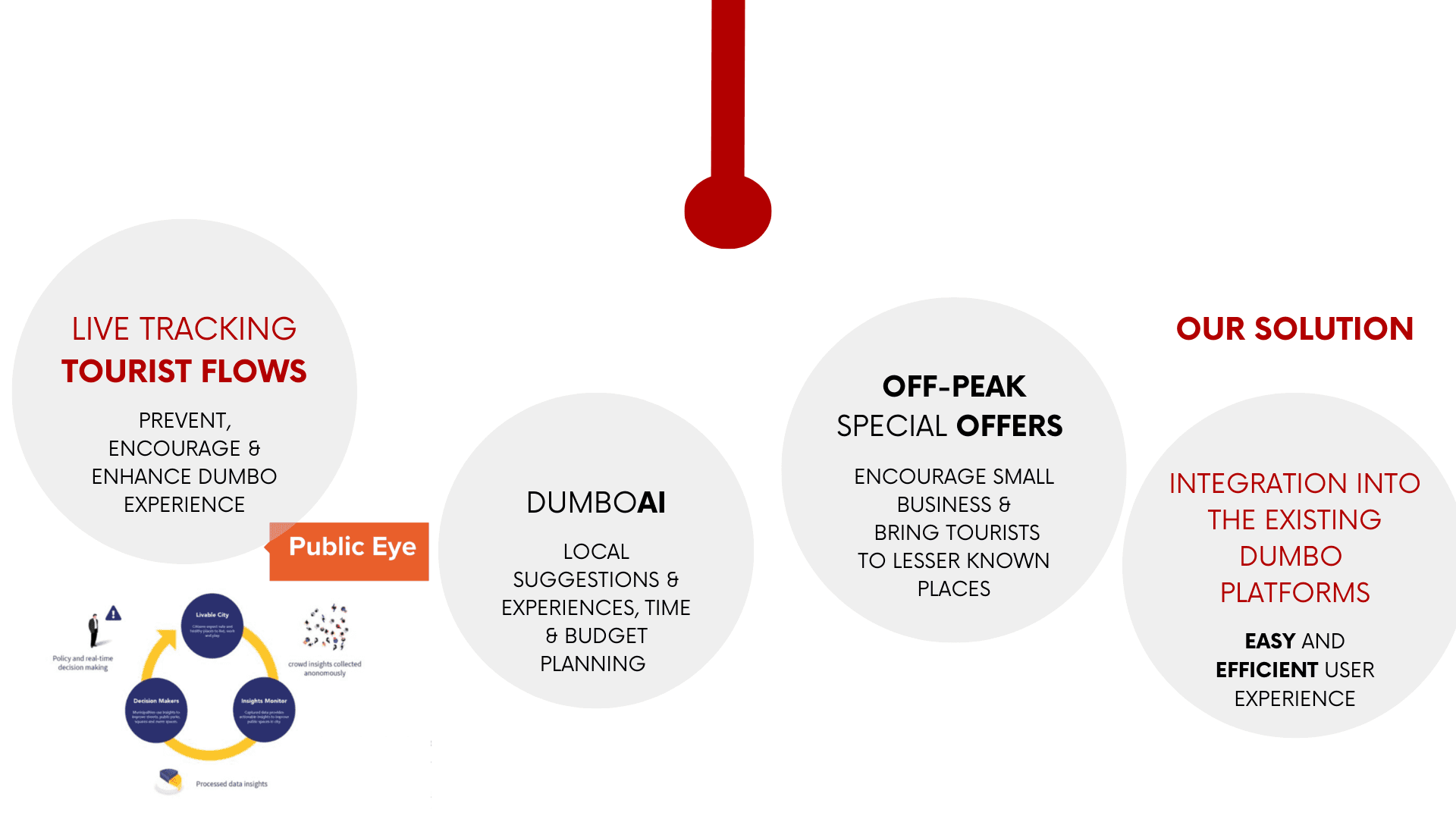
Synthesized research insights to develop initial concepts for a desktop home page, live map, and AI assistant designed to redistribute tourist flows and highlight lesser-known locations
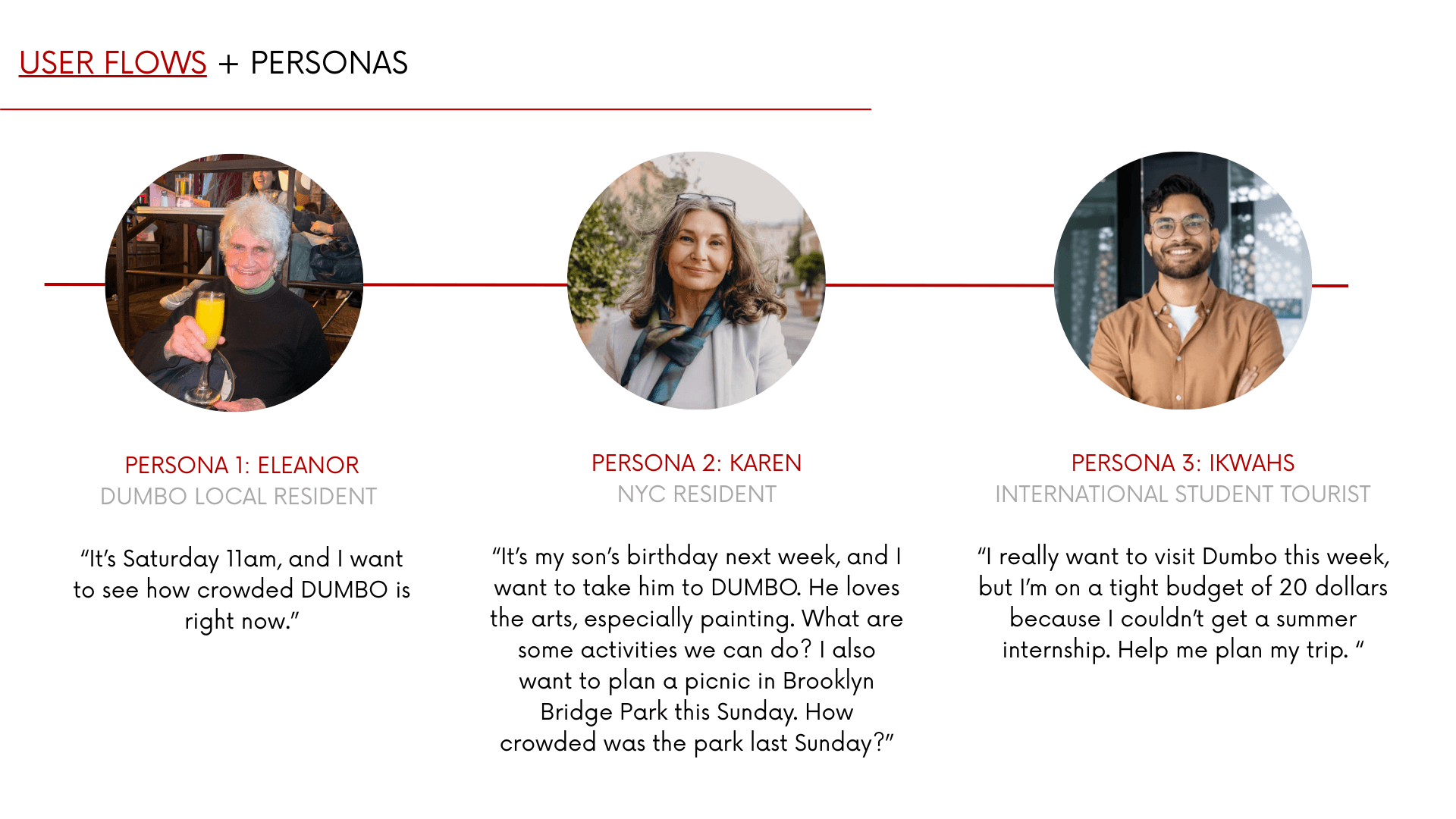
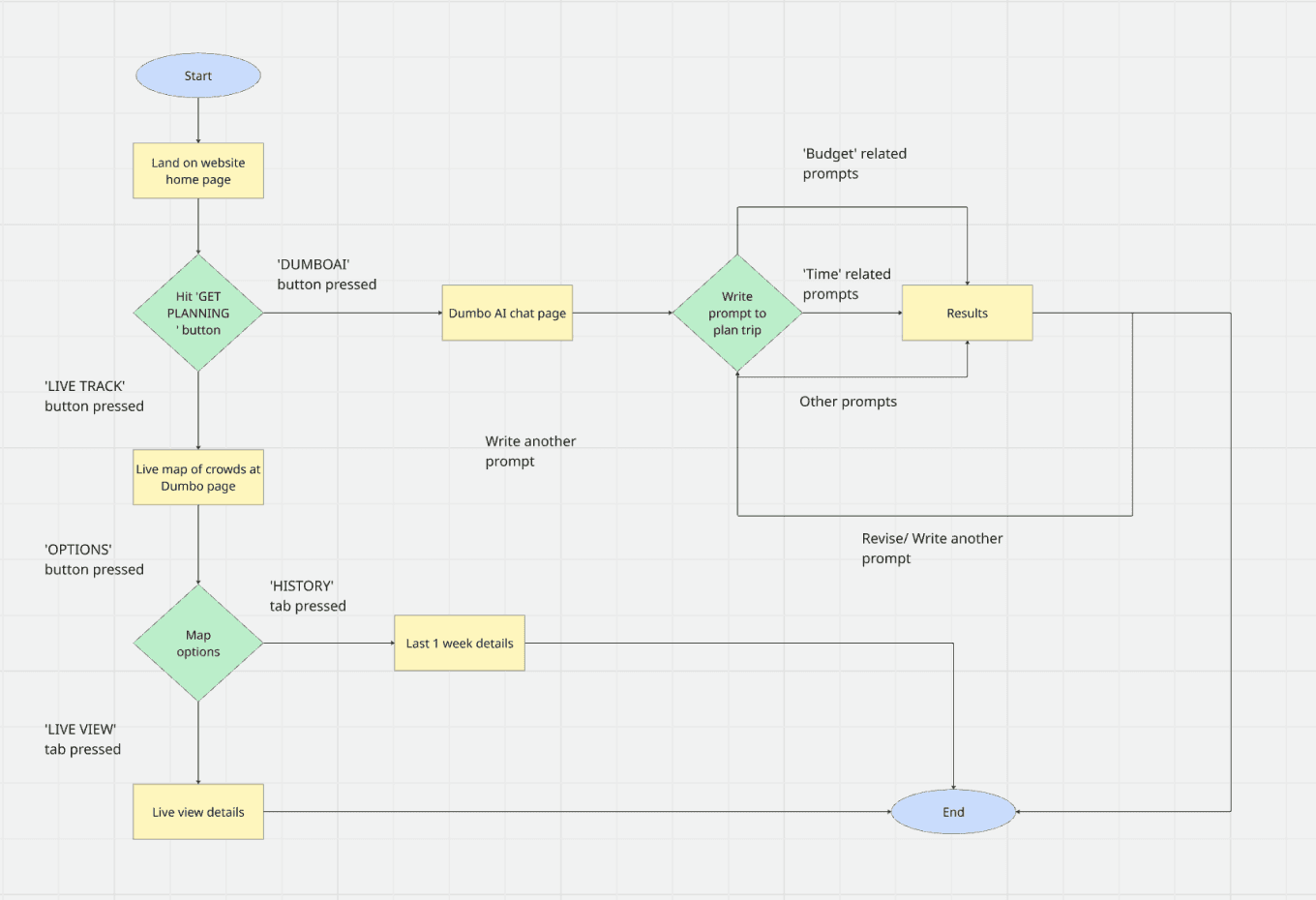
Developed user flows and wireframes, prioritizing clear and efficient navigation
Analyzed the existing website, brand, and visual language to ensure consistency with the current brand ecosystem while modernizing outdated elements
Process
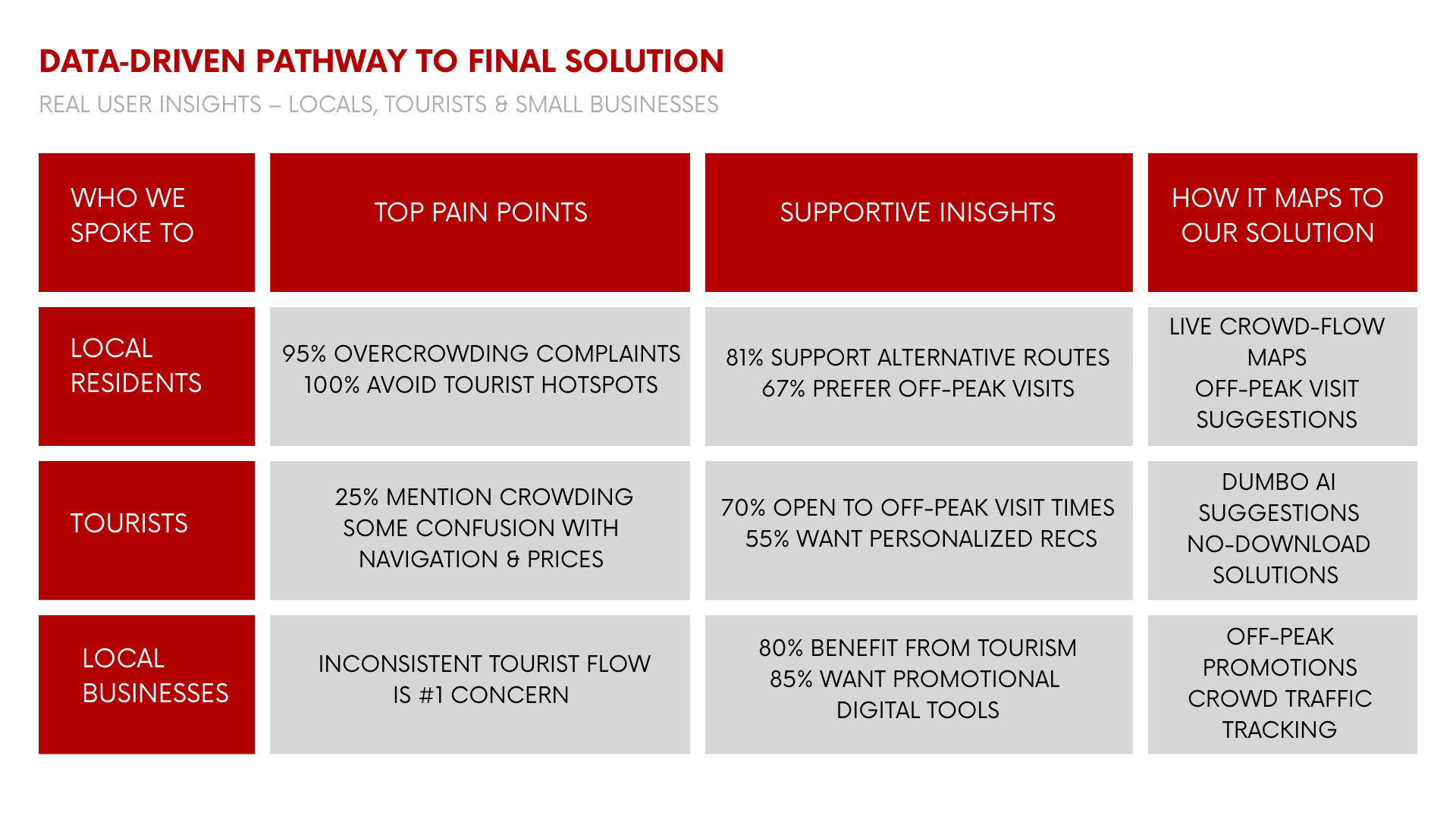
Week 1-2 Primary & Secondary Research
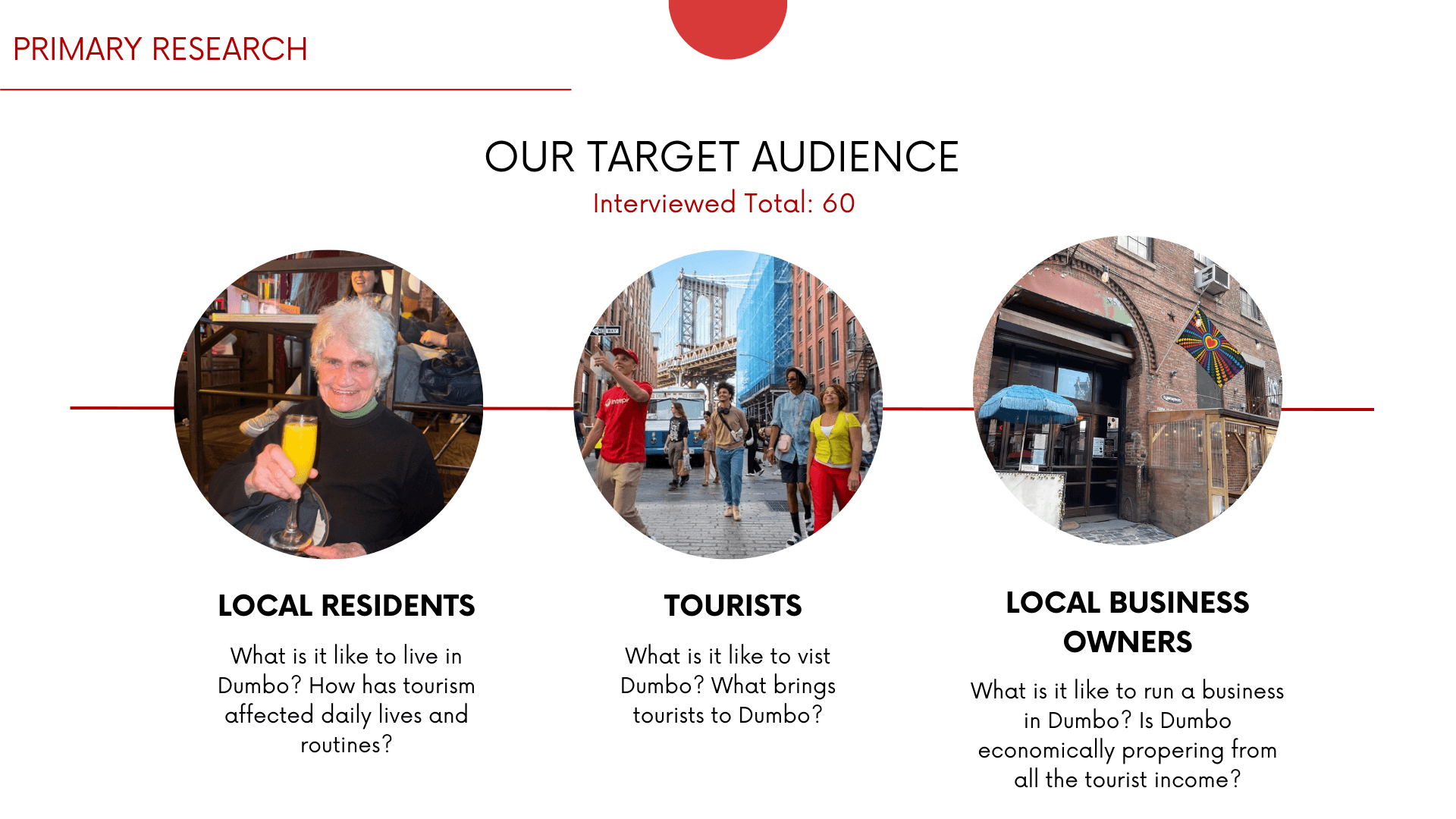
Conducted 60 in-person field interviews (20 residents, 20 tourists, 20 local business owners)
Researched global tourism management strategies, including regulatory and incentive-driven approaches
Reviewed the improvement district's past and current crowd-management strategies
Week 5-7 Prototyping & Iteration
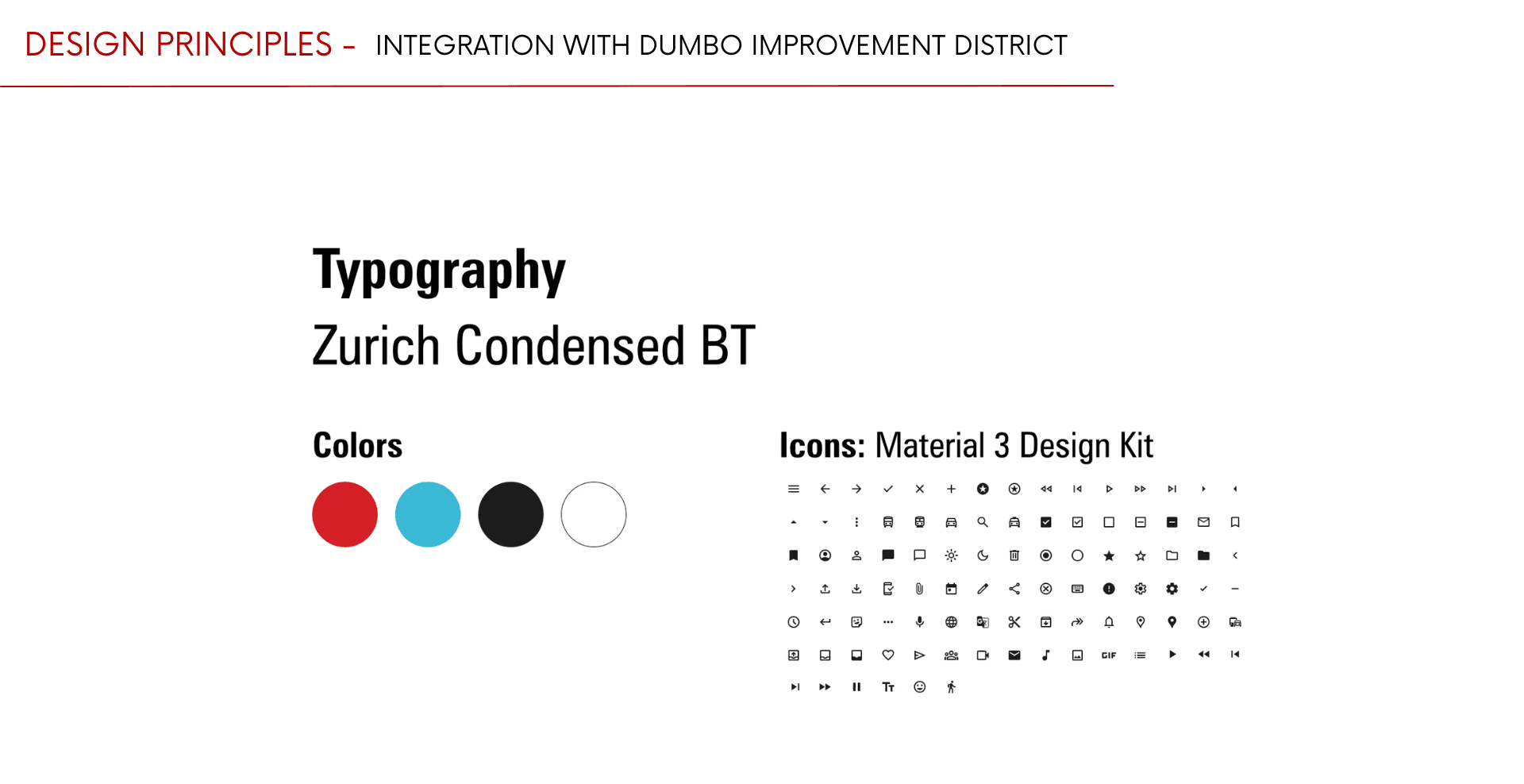
Refined the visual design system, including color palette and typography
Designed scalable UI components such as buttons and AI prompt chips
Developed low-fidelity prototypes exploring desktop integration
Presented research insights, wireframes, and low-fidelity prototypes for instructor and peer feedback
Week 8-11 Pivot to Mobile-First
Based on user testing insights and concept interviews, we shifted to a mobile-first experience to support on-the-go navigation, planning, and discovery for tourists
Reworked layouts into vertical mobile flows to improve usability on smaller screens
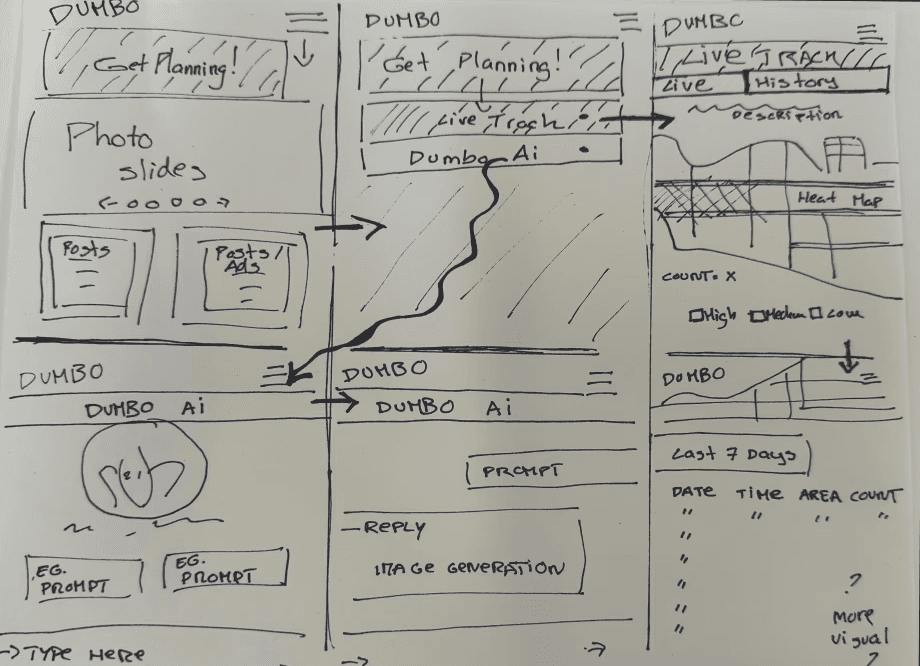
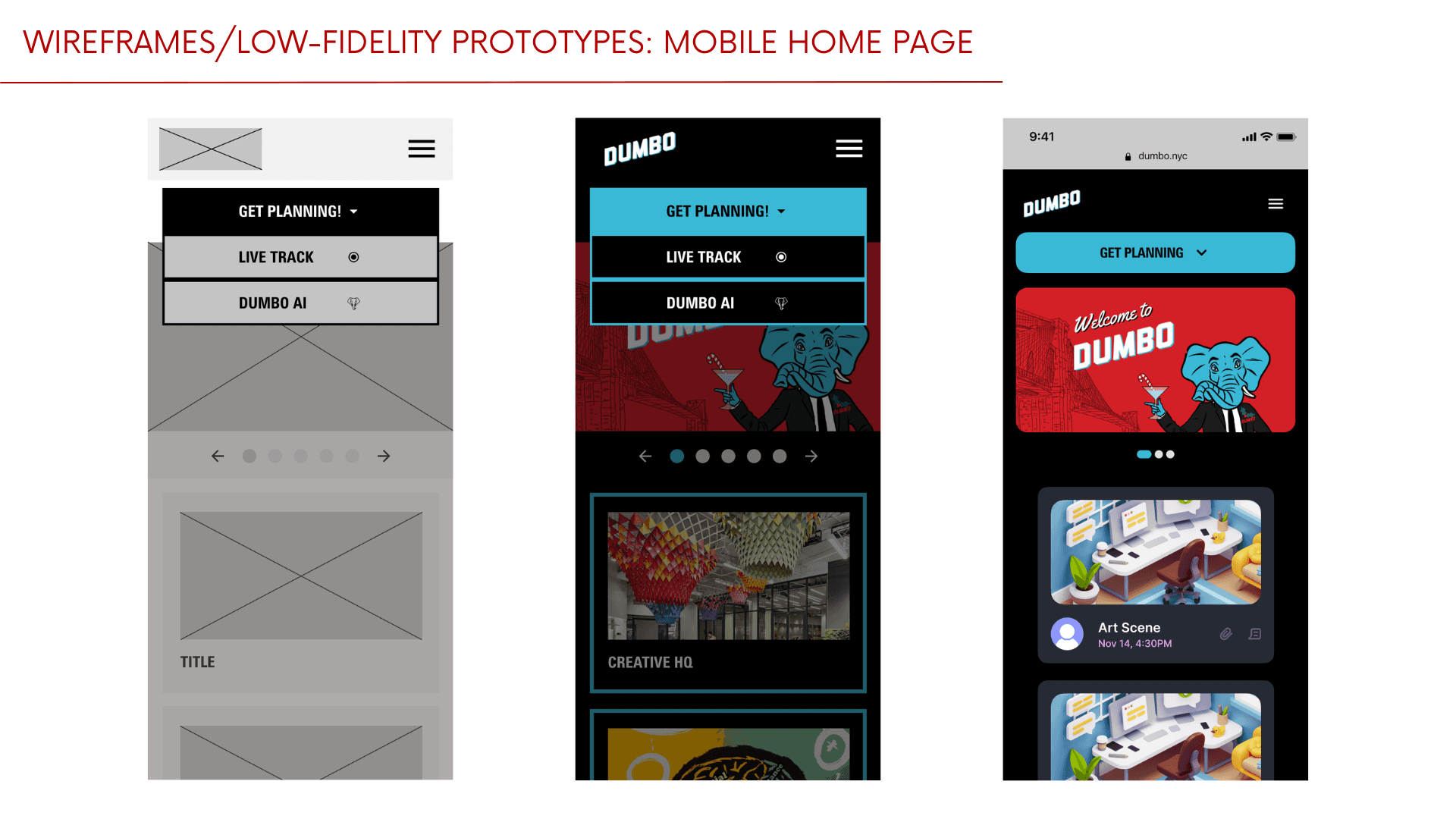
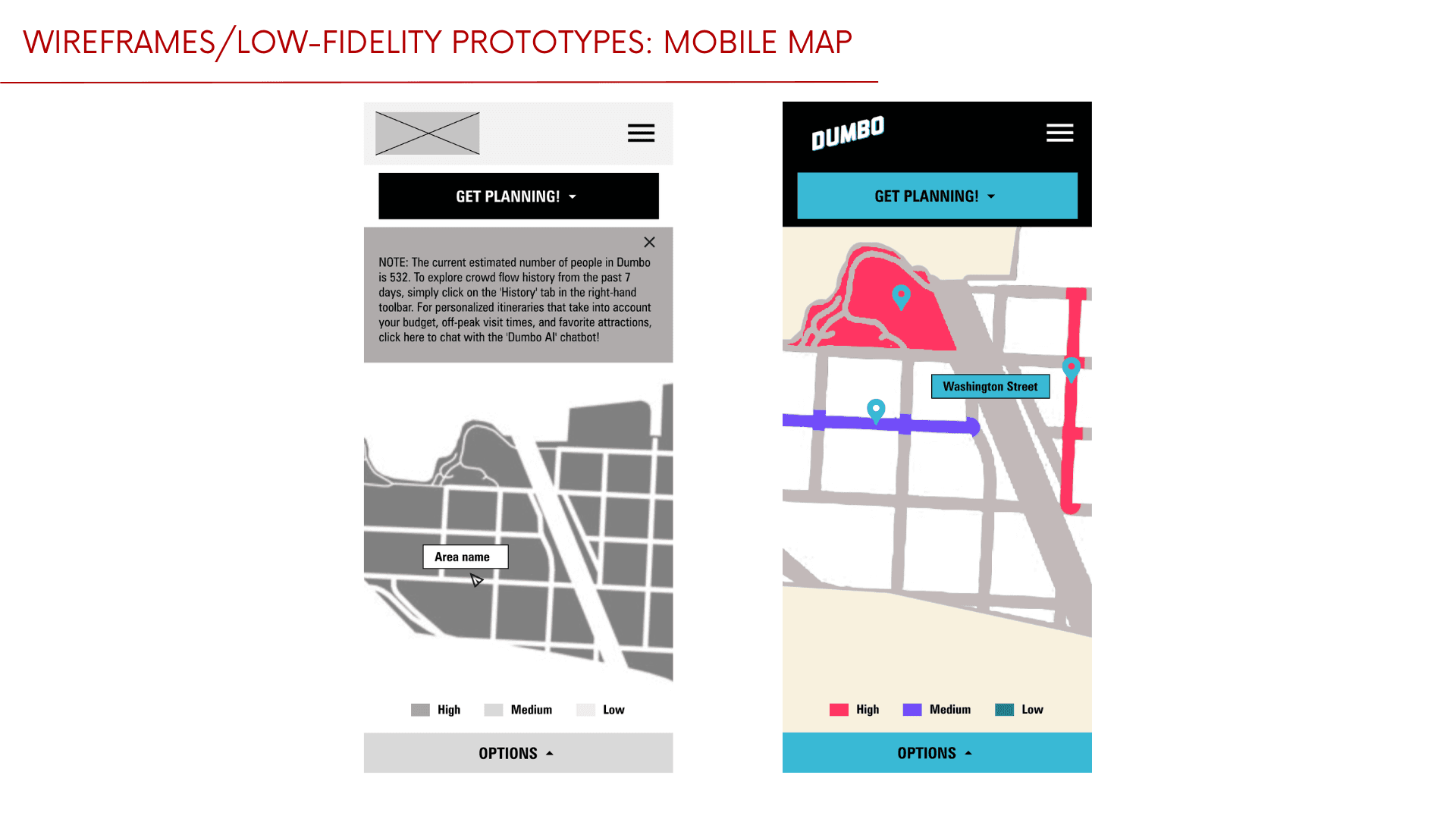
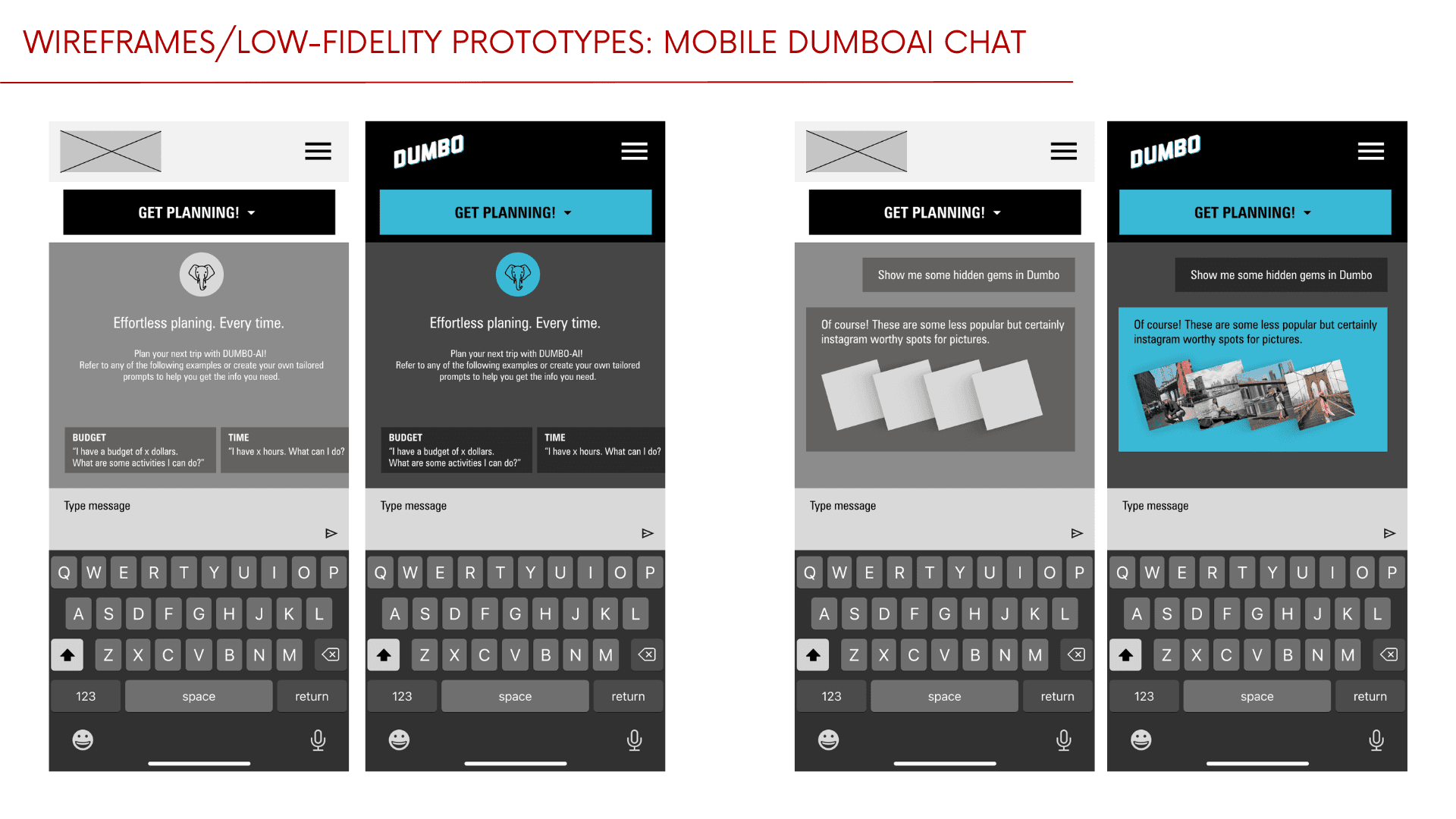
Created wireframes and low-fidelity prototypes for the mobile home page, live map, and AI chat
PRELIMINARY CONCEPT SKETCH
Week 12-15 Testing, Iteration & Prototype Development
Conducted user testing, refining interactions and visual design based on feedback
Developed interactive mobile prototypes of the homepage, live map, and AI chat for the final deliverable, focusing on user flows, branding, visual identity, as well as alignment with the project brief and user needs.
Presented low-fidelity and clickable mobile prototypes to instructors and peers
INTERACTIVE PROTOTYPES:
HOME PAGE
LIVE MAP
AI CHAT ASSISTANT
Proposed Solution
Home Page
Integrating a "Get Planning" button in the Dumbo Improvement District's existing website
Serves as the central CTA (Call To Action) on the homepage
Drop-down menu allows users to choose the Live Map or DumboAI
Live Map
A map of DUMBO using real-time data to track crowd sizes
Pulsing crowd density indicators allow users to long-press on any dot to reveal area name and estimated crowd count
Green: low traffic
Yellow: medium traffic
Red: high traffic
Options Modal
Live View: summarized current total foot traffic across the neighborhood
History: displays crowd sizes over the past 7 days
Use Cases:
Residents can avoid congested zones and plan their commute and neighborhood activities accordingly
Businesses can predict high footfall periods to launch deals
Tourists can plan to visit at less-crowded times
DumboAI
An AI-powered assistant for personalized planning, designed with chat-like UX for familiarity and ease of use
Offers prompts based on:
Budget: low-cost, free, or premium recommendations
Time: activities that fit preferred time slots
Interest & Activities: categories such as food, history, art, culture, family-friendly, outdoors, etc.
AI-generated suggestions:
Personalized itineraries based on real-time density and user preferences
Highlight local businesses and off-peak offers
Outcomes & Learnings
Designed intuitive and accessible interfaces while balancing visual aesthetics
Crafted a visual design system — including color, typography, and imagery — aligned with the current brand and interface to strengthen cohesion across all digital touchpoints
Strengthened proficiency in Figma's design and prototyping tools across both desktop and mobile interfaces
Gained hands-on experience applying UX research and design processes to address real-world challenges